Table of Contents
In today’s fast-paced digital economy, managing personal finances has become both more complex and more accessible than ever before. Whether you’re trying to pay off debt, save for a major purchase, build an emergency fund, or simply gain better control over your monthly spending, budgeting is the foundation of financial success. The challenge many people face isn’t understanding the importance of budgeting it’s actually sticking to one.
This is where budgeting apps come in as game-changers for personal finance management. Modern budgeting apps have revolutionized how we track expenses, monitor cash flow, and achieve financial goals. By automatically syncing with your bank accounts and credit cards, these powerful tools eliminate the tedious manual entry that made traditional budgeting feel like a chore.
With features like real-time spending alerts, visual dashboards, bill tracking, and personalized insights, budgeting apps transform money management from an overwhelming task into an engaging, actionable experience. Whether you’re a budgeting beginner or a financial expert looking to optimize your strategy, there’s an app designed specifically for your needs.
The 3 Best Budgeting Methods: 50/30/20, Zero-Based & Envelope (2026 Guide)
Criteria for Choosing the Best Budgeting Apps
Selecting the right budgeting app requires careful consideration of several key factors. Not all apps are created equal, and what works perfectly for one person might be frustrating for another. Understanding what to look for will help you find an app that you’ll actually use consistently.
User Interface and Experience should be at the top of your list. A budgeting app needs to be intuitive and visually appealing. If navigating the app feels like solving a puzzle, you’re less likely to check it regularly. Look for clean dashboards, easy-to-read charts, and straightforward navigation that makes checking your finances a pleasure rather than a pain.
Bank Account Integration is crucial for modern budgeting. The best apps connect seamlessly with thousands of financial institutions, automatically importing your transactions so you don’t have to manually enter every coffee purchase. This automation saves time and ensures accuracy, giving you a real-time view of your financial situation.
Expense Tracking and Categorization capabilities vary widely among apps. Top-tier options use artificial intelligence and machine learning to automatically categorize your transactions, learning from your corrections over time. Some apps allow extensive customization of categories, while others keep things simple with pre-set options.
Reporting and Analytics Features help you understand your spending patterns. Quality budgeting apps offer visual representations of your cash flow, spending trends over time, and comparisons between months or years. These insights are invaluable for identifying areas where you can cut back or reallocate funds.
Security Measures cannot be compromised. Your budgeting app will access sensitive financial information, so it must employ bank-level encryption, two-factor authentication, and secure data storage practices. Reputable apps undergo regular security audits and are transparent about their data protection policies.
User Reviews and Ratings provide real-world insight into an app’s performance. Pay attention to both the overall rating and recent reviews to understand how the app performs in practice, how responsive the support team is, and whether updates are improving or complicating the user experience. High ratings combined with responsive customer support often indicate a quality product backed by a team that cares about user satisfaction.
1. Monarch Money – Budgeting Apps
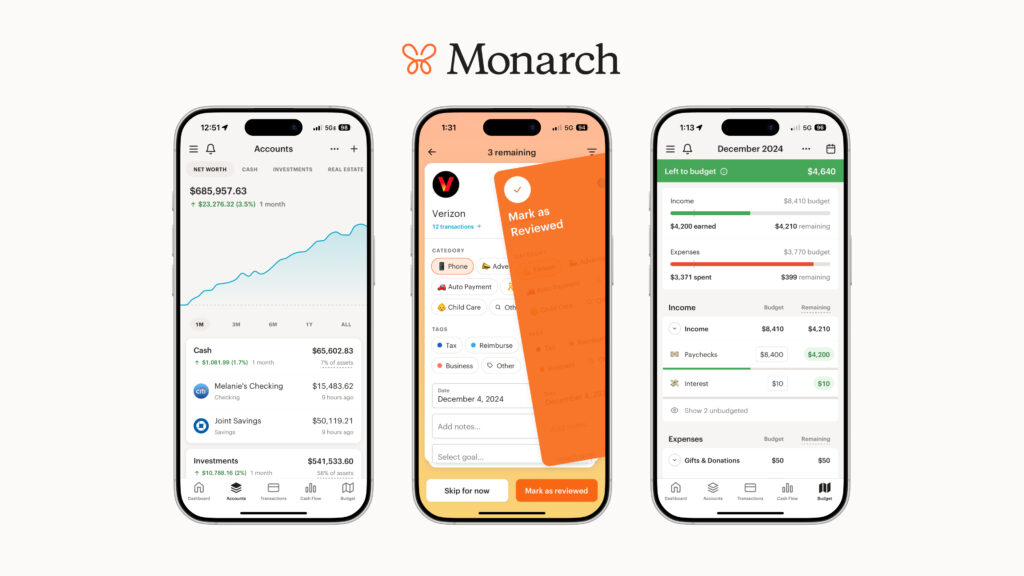
Overview: Founded by a former Mint product manager, Monarch Money has emerged as one of the most comprehensive budgeting solutions available. It combines beautiful design with powerful features, making financial management both effective and enjoyable.
Key Features:
- Customizable dashboard with visual spending insights
- Collaborative budgeting for couples and families
- Investment tracking and portfolio monitoring
- Zillow integration for real estate tracking
- Flexible budgeting methods
- AI-powered transaction categorization
- Cash flow analysis and net worth tracking
Pricing: $14.99/month or $99.99/year (promotional discounts available)
Pros:
- Exceptionally intuitive user interface
- Comprehensive feature set for both budgeting and wealth tracking
- Can add household members at no extra cost
- Excellent customer support
- Regular feature updates and improvements
Cons:
- No free version available
- Premium pricing compared to some competitors
- Seven-day trial period is shorter than some alternatives
Best For: Couples, families, and individuals who want a comprehensive financial management tool and don’t mind paying for quality software.
2. YNAB (You Need A Budget)
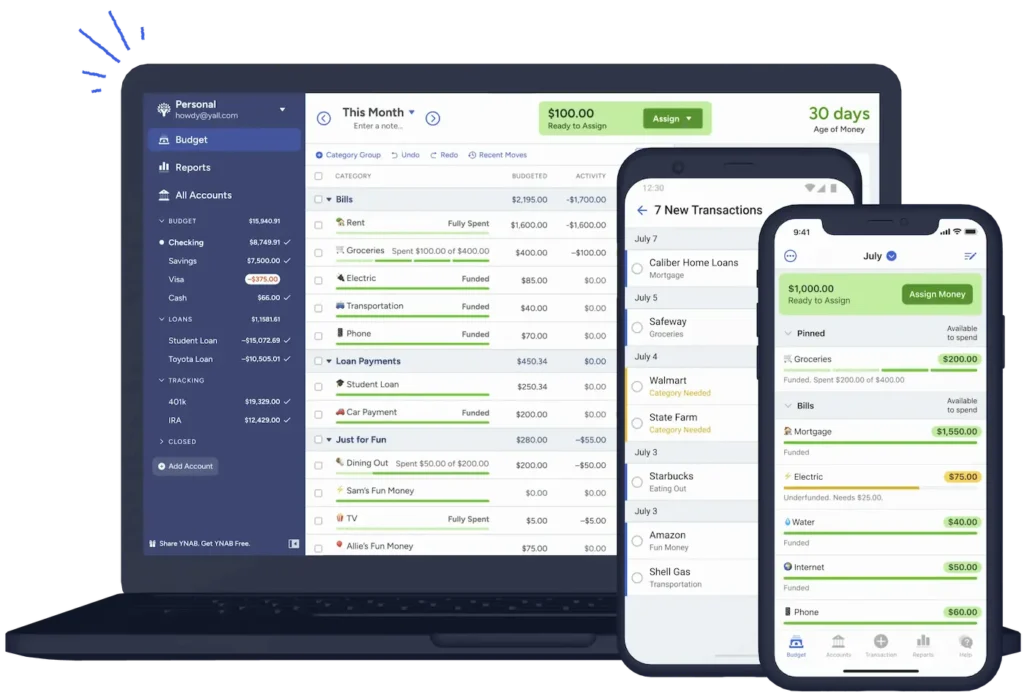
Overview: YNAB takes a proactive approach to budgeting with its zero-based budgeting methodology, where every dollar gets assigned a specific job. This philosophy helps users break the paycheck-to-paycheck cycle.
Key Features:
- Zero-based budgeting system
- Four foundational budgeting rules
- Real-time sync across devices
- Shared budgets for up to six users
- Goal tracking and debt payoff tools
- Educational resources and workshops
- Priority customer support
Pricing: $14.99/month or $109/year (after 34-day free trial)
Pros:
- Powerful methodology for breaking bad spending habits
- Excellent educational resources
- Strong community support
- Privacy-focused (doesn’t sell user data)
- Responsive customer service
Cons:
- Steeper learning curve than simpler apps
- More expensive than most alternatives
- No free version after trial
- Limited investment tracking
- Requires more hands-on management
Best For: People serious about transforming their financial habits and willing to invest time and money in a comprehensive budgeting system.
3. Quicken Simplifi
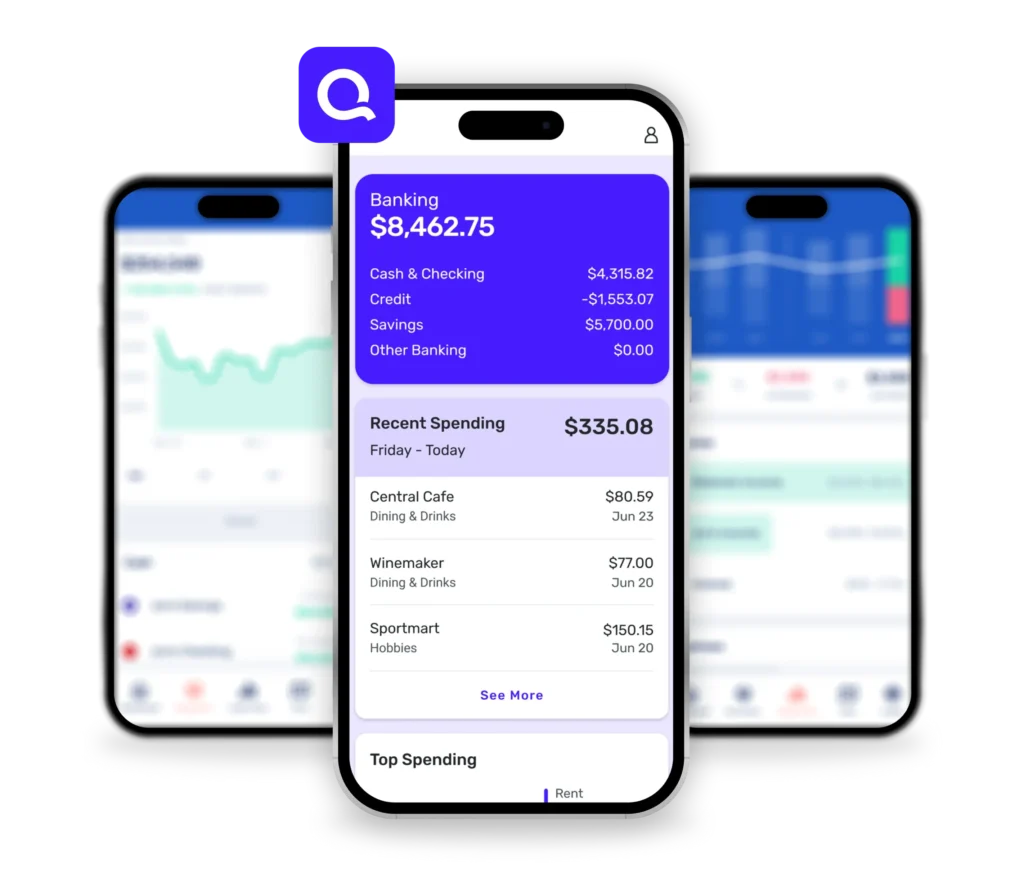
Overview: Simplifi brings Quicken’s decades of financial software expertise to a modern, streamlined budgeting app. It offers robust features without overwhelming complexity.
Key Features:
- Personalized spending plan
- Customizable budget categories
- Watchlists for specific transactions
- Bill tracking and reminders
- Financial goal setting and monitoring
- Detailed customizable reports
- Refund tracking
Pricing: $5.99/month (billed annually), promotional rates often available
Pros:
- Well-rounded feature set
- Excellent reporting capabilities
- Multiple budgeting methods supported
- One-year free access for former Mint users
- Ability to share with spouse or financial advisor
Cons:
- No free version or trial (30-day money-back guarantee instead)
- Cannot set up account through Apple or Google
- Doesn’t connect to Zillow for property values
Best For: Users who want comprehensive features at a reasonable price and appreciate detailed reporting and analysis.
4. PocketGuard
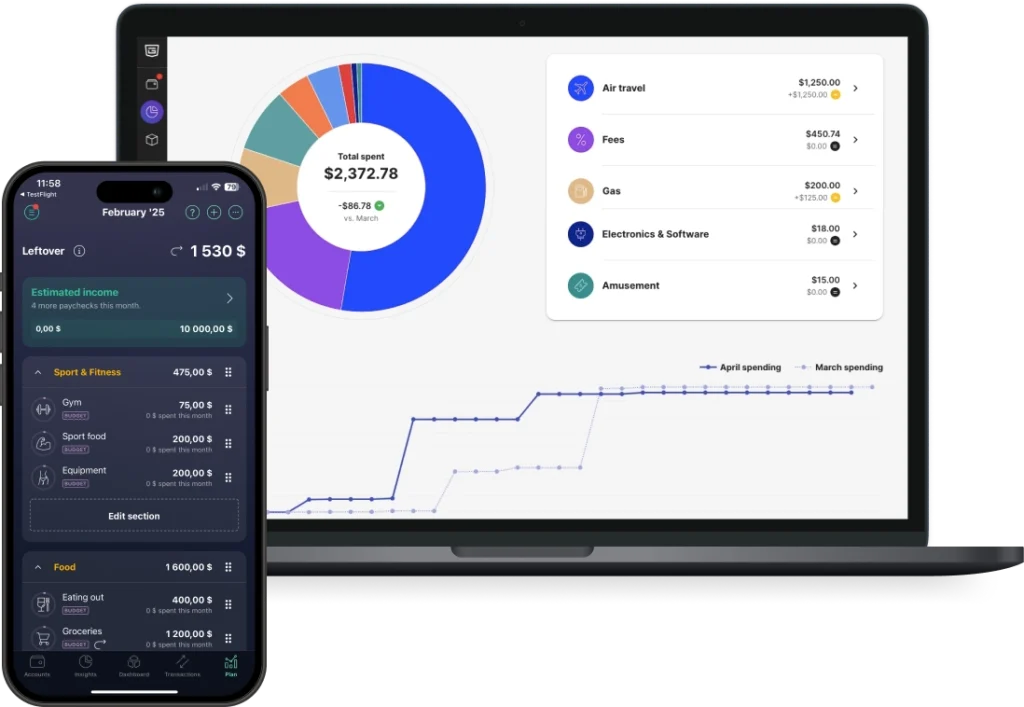
Overview: PocketGuard simplifies budgeting with its signature “In My Pocket” feature, which calculates how much you can safely spend after accounting for bills, savings goals, and necessities.
Key Features:
- “In My Pocket” spending calculator
- Automatic bill tracking
- Subscription management and cancellation help
- Debt payoff planning (Plus version)
- Rollover budgets
- Spending insights by merchant
- Bill negotiation service (Billshark integration)
Pricing: Free basic version; PocketGuard Plus at $12.99/month or $74.99/year
Pros:
- Free version offers solid functionality
- Simple, straightforward interface
- Helpful for curbing overspending
- Bill negotiation can save money
- Unlimited budget categories with Plus
Cons:
- Free version has limited features
- Less customization than competitors
- Bill negotiation takes 40% of savings
- Basic investment tracking
Best For: People who want a simple answer to “How much can I spend?” and need accountability to stay within budget.
5. Rocket Money
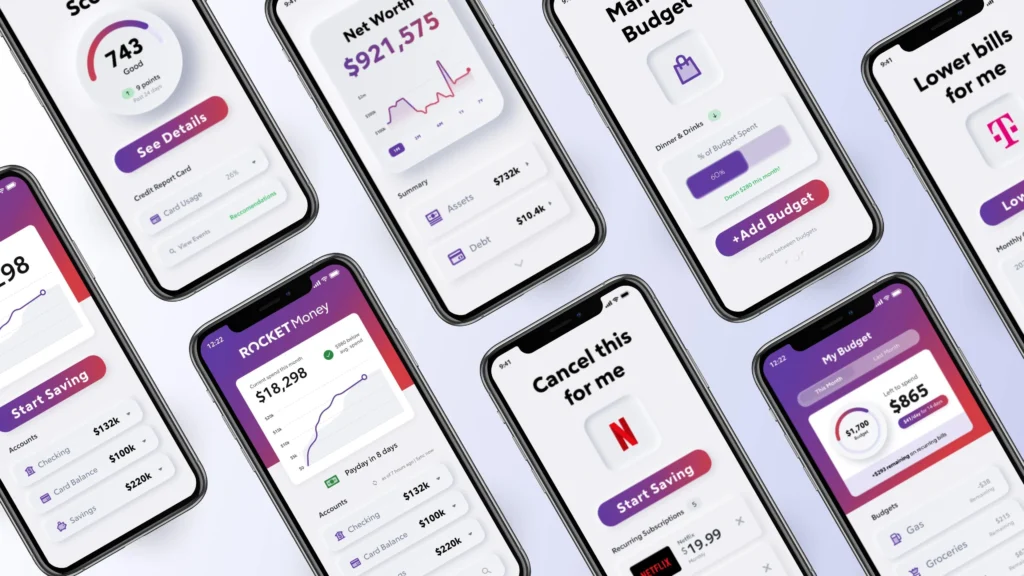
Overview: Formerly known as Truebill, Rocket Money excels at finding and canceling unwanted subscriptions while providing comprehensive budgeting tools.
Key Features:
- Subscription tracking and cancellation
- Bill negotiation service
- Smart savings automation
- Credit score monitoring
- Custom budget creation
- Spending analytics
- Flexible pricing plans
Pricing: Free basic version; Premium from $6-$12/month or $48-$60/year
Pros:
- Excellent subscription management
- Bill negotiation can reduce expenses
- Free version is functional
- Easy Mint data transfer
- Flexible premium pricing
Cons:
- Bill negotiation fees (35-60% of first-year savings)
- Some features require premium
- Can be aggressive with upgrade prompts
Best For: People drowning in subscriptions who want to reduce recurring expenses and track spending.
6. Goodbudget
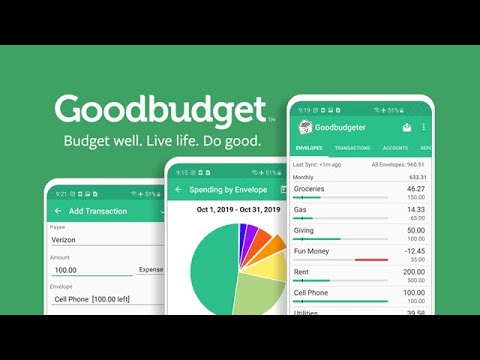
Overview: Goodbudget brings the traditional envelope budgeting method into the digital age, making it perfect for those who prefer proactive budgeting.
Key Features:
- Digital envelope budgeting system
- Manual transaction entry
- Debt tracking tools
- Up to 20 envelopes (free) or unlimited (Plus)
- Household sharing and syncing
- Transaction history (1 year free, 7 years Plus)
- Financial reports
Pricing: Free for basic; $10/month or $80/year for Goodbudget Plus
Pros:
- Free version is genuinely useful
- Perfect for envelope budgeting fans
- No bank account linking required (privacy benefit)
- Good for teaching kids about budgeting
- Affordable premium version
Cons:
- Manual transaction entry is time-consuming
- Limited envelopes on free plan
- No automatic bank syncing
- Basic reporting features
Best For: Envelope budgeting enthusiasts, privacy-conscious users, and those teaching family members about budgeting.
7. Empower Personal Dashboard
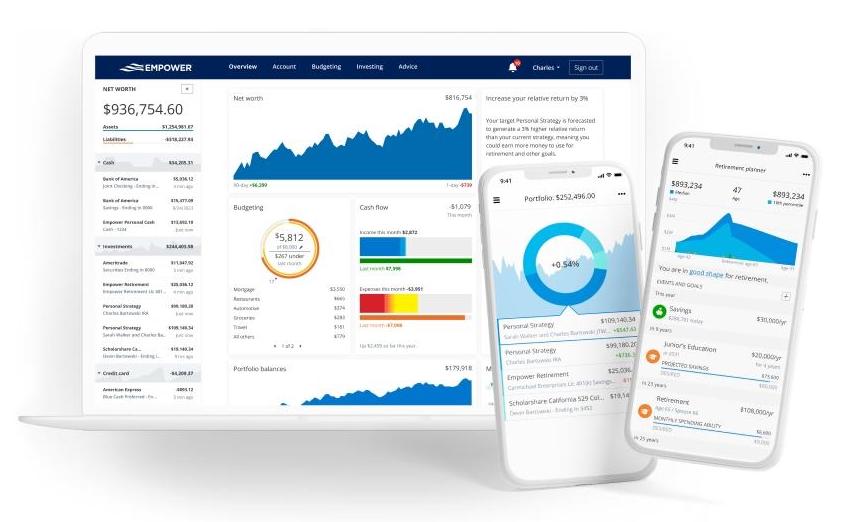
Overview: Formerly Personal Capital, Empower stands out as one of the last major free budgeting apps with robust investment tracking capabilities.
Key Features:
- Free financial dashboard
- Net worth tracking
- Investment performance monitoring
- Retirement planning tools
- Cash flow tracking
- Fee analyzer for investments
- Budget and expense tracking
Pricing: Free for budgeting tools; separate fees for investment management services
Pros:
- Completely free budgeting tools
- Excellent investment tracking
- Comprehensive net worth view
- Retirement planning features
- Professional-grade analytics
Cons:
- Investment advisory firm may call offering services
- Budget features less robust than competitors
- More focused on wealth management than budgeting
- Interface can feel cluttered
Best For: High-net-worth individuals, investors who want comprehensive portfolio tracking alongside basic budgeting.
8. EveryDollar
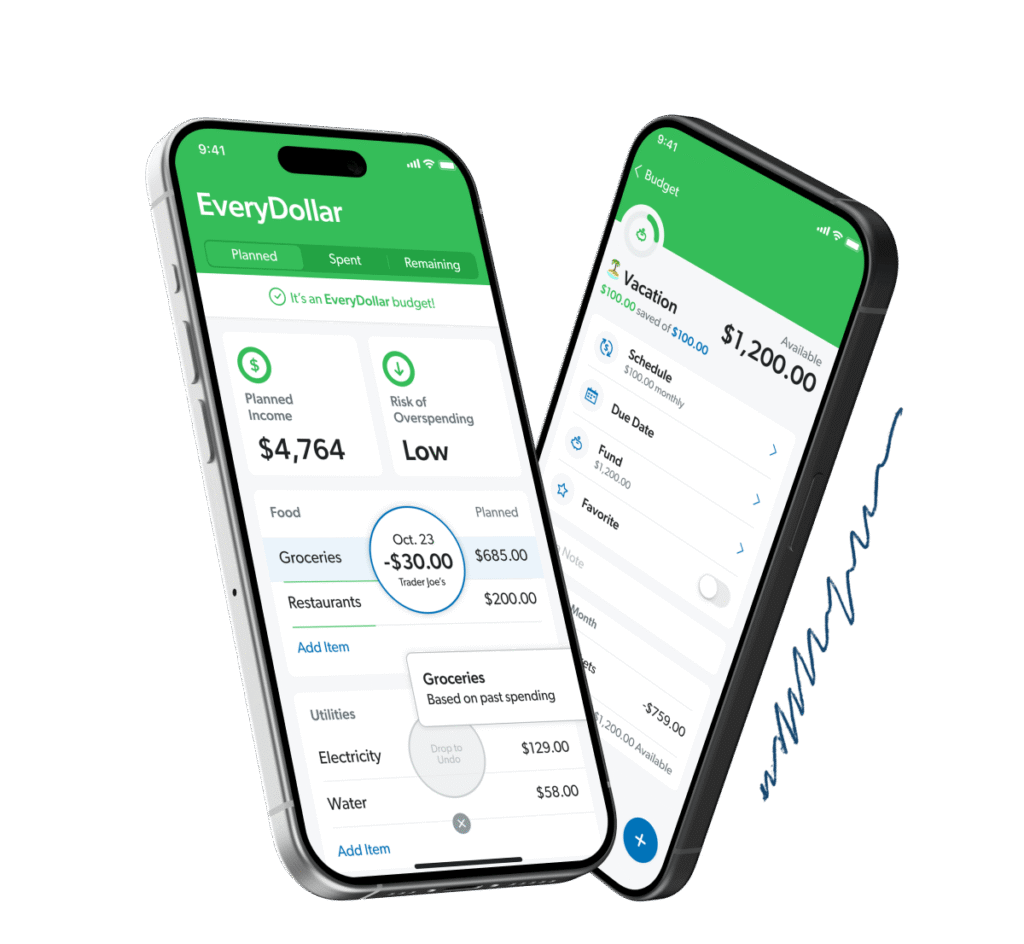
Overview: Created by financial expert Dave Ramsey’s team, EveryDollar implements zero-based budgeting principles in a simple, accessible format.
Key Features:
- Zero-based budgeting framework
- Customizable spending categories
- Bill due date calendar
- Drag-and-drop interface
- Bank account connection (premium)
- Transaction tracking
- Financial coaching (premium)
Pricing: Free basic version; $17.99/month or $79.99/year for Ramsey+ (includes premium features)
Pros:
- Free version is functional
- Simple, intuitive interface
- Aligns with Dave Ramsey’s financial principles
- Good for budgeting beginners
- 60-day free trial for former Mint users
Cons:
- Bank syncing requires premium subscription
- Limited reporting features
- Premium version expensive for what it offers
- Less feature-rich than competitors
Best For: Dave Ramsey followers, budgeting beginners, and people who prefer manual budget entry.
9. Honeydue
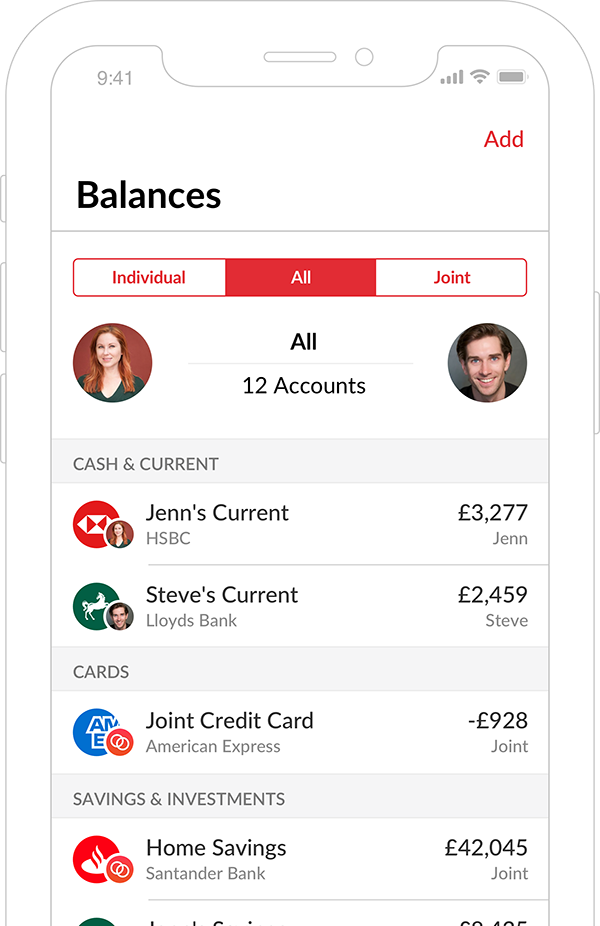
Overview: Specifically designed for couples, Honeydue makes shared financial management easy with features that promote transparency and communication.
Key Features:
- Joint and individual account views
- Customizable sharing controls
- In-app chat about transactions
- Bill reminders and splitting
- Monthly spending limit alerts
- Automatic categorization
- Financial goal setting
Pricing: Completely free
Pros:
- 100% free with all features
- Purpose-built for couples
- Privacy controls for individual accounts
- In-app communication
- Clean interface
Cons:
- Limited features compared to paid apps
- Less suitable for individuals
- Basic reporting
- Fewer customization options
Best For: Couples who want to manage finances together while maintaining some financial independence.
10. NerdWallet
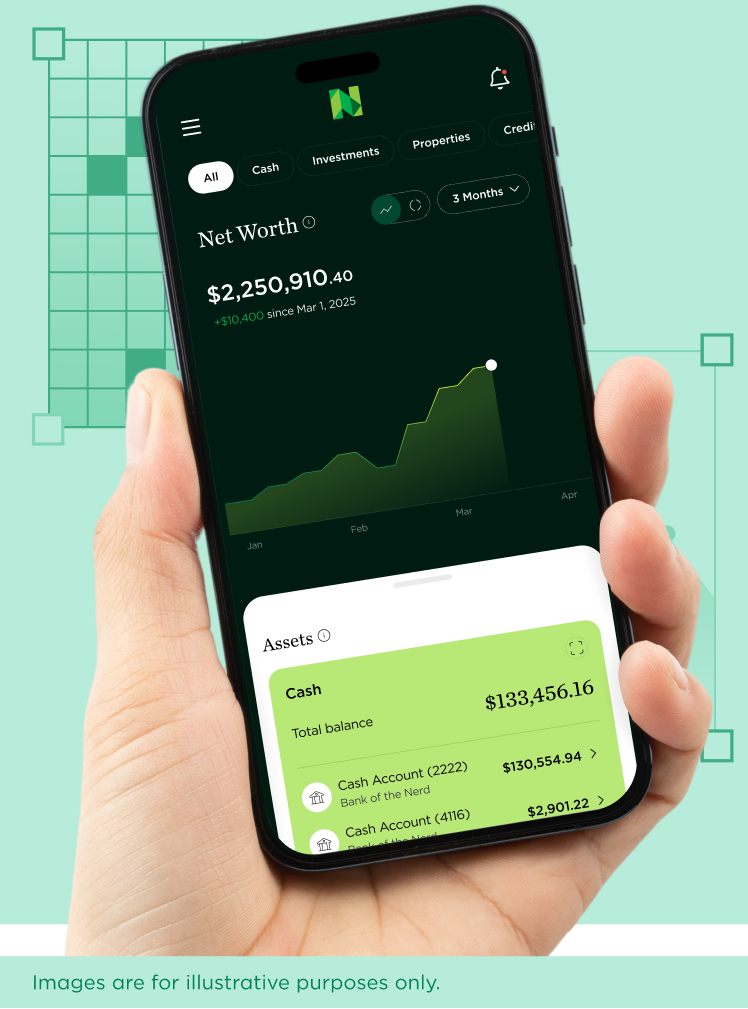
Overview: Known primarily as a financial education website, NerdWallet offers a completely free budgeting app with no paid tiers or hidden fees.
Key Features:
- Free credit score monitoring
- Cash flow tracking
- Net worth calculations
- Weekly financial insights
- Account aggregation
- Transaction categorization
- Educational content integration
Pricing: Completely free (ad-supported)
Pros:
- Completely free forever
- Credit score monitoring included
- Clean, understandable interface
- Weekly insights are helpful
- Integrates with NerdWallet’s educational resources
Cons:
- Frequent credit card advertisements
- Limited budgeting features
- No goal-setting tools
- More reactive than proactive
Best For: People wanting a free budgeting solution who don’t mind advertisements and want credit monitoring.
11. Copilot Money
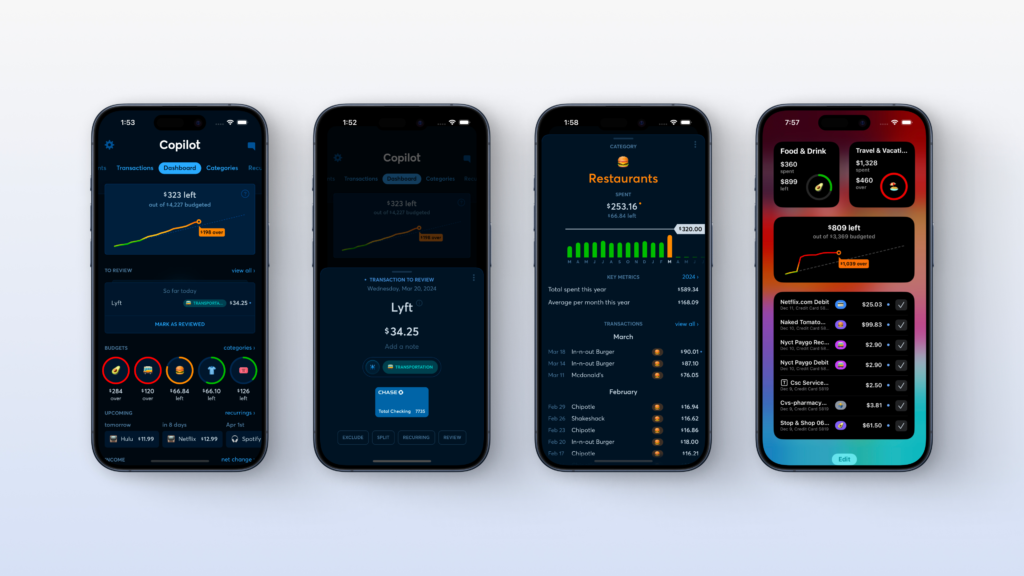
Overview: Copilot focuses on creating a beautiful, intelligent budgeting experience with machine learning-powered categorization and elegant design.
Key Features:
- AI-powered transaction categorization
- Beautiful user interface
- Recurring transaction detection
- Subscription tracking
- Savings goals tracking
- Investment and cryptocurrency support
- Cash flow visualization
- Budget rollover features
Pricing: $13/month or $95/year (60-day free trial with promo codes)
Pros:
- Exceptional design and user experience
- Smart AI categorization learns over time
- Excellent for visual learners
- No advertisements
- Privacy-focused
- Responsive customer support
Cons:
- Currently limited to iOS, Mac, and web (Android coming)
- Paid subscription required
- More focused on tracking than active budgeting
- Newer app with smaller user base
Best For: Apple ecosystem users who value beautiful design and want an intelligent spending tracker with minimal manual work.
12. Tiller Money
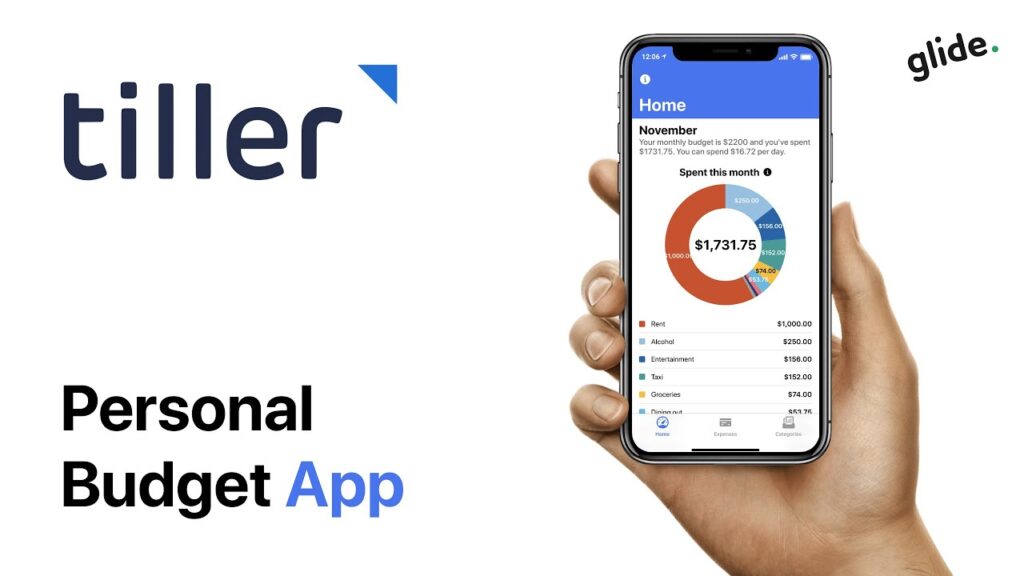
Overview: Tiller takes a unique approach by feeding your financial data into customizable spreadsheets, perfect for spreadsheet enthusiasts.
Key Features:
- Automatic spreadsheet updates
- Works with Excel and Google Sheets
- Customizable templates
- Transaction data feeds
- Budget templates
- Net worth tracking
- Flexible reporting
Pricing: $8/month or $35/year (promotional rates available)
Pros:
- Ultimate customization flexibility
- Works with familiar spreadsheet tools
- No learning curve if you know spreadsheets
- Raw data access
- One-time setup, minimal maintenance
Cons:
- Requires spreadsheet skills
- Not beginner-friendly
- Manual formula creation needed
- No mobile app experience
- Less visual than dedicated apps
Best For: Spreadsheet enthusiasts, power users who want complete control over their financial data and reporting.
13. Credit Karma
Overview: While primarily known for credit monitoring, Credit Karma now offers basic budgeting features after absorbing Mint users.
Key Features:
- Free credit score monitoring
- Transaction tracking
- Spending categorization
- Net worth tracking
- Cash flow overview
- Financial product recommendations
- Identity monitoring
Pricing: Completely free (makes money through product recommendations)
Pros:
- Completely free
- Excellent credit monitoring
- Easy transition for Mint users
- Clean interface
- Multiple account linking
Cons:
- Limited budgeting features
- No budget creation tools
- Frequent product recommendations
- Less comprehensive than dedicated budgeting apps
Best For: People primarily interested in credit monitoring who want basic transaction tracking as a secondary feature.
14. PocketSmith
Overview: PocketSmith emphasizes future forecasting, helping users understand where their finances are headed with powerful projection tools.
Key Features:
- Calendar-based budgeting
- Cash flow forecasting up to 30 years
- Multiple budget scenarios
- Account aggregation
- Transaction categorization
- Net worth tracking
- Retirement planning tools
- FIRE (Financial Independence, Retire Early) calculations
Pricing: Free basic version; Premium $12.95/month; Super $24.95/month
Pros:
- Unique forecasting capabilities
- Calendar view is intuitive
- Multiple scenario planning
- Good for long-term planning
- Free version available
Cons:
- Higher-tier plans are expensive
- Forecasting can be overwhelming
- Free version very limited
- Learning curve for advanced features
Best For: Long-term financial planners, people pursuing FIRE, those who want to see future projections.
15. Mint Mobile Banking
Overview: Though the original Mint app shut down in March 2024, some financial institutions now offer Mint-inspired features within their banking apps.
Key Features:
- Integrated with bank accounts
- Transaction categorization
- Spending insights
- Budget tracking
- Bill reminders
- Account balance alerts
Pricing: Free with bank account
Pros:
- No separate app needed
- Free with banking services
- Integrated experience
- Bank-level security built-in
Cons:
- Limited to specific banks
- Features vary by institution
- Less comprehensive than dedicated apps
- May lack advanced features
Best For: People who prefer keeping everything within their primary banking institution and want basic budgeting tools.
16. Wally
Overview: Wally offers a simple, international-friendly approach to expense tracking with manual entry and smart insights.
Key Features:
- Manual expense entry
- Photo receipt capture
- Multiple currency support
- Expense categorization
- Budget goals
- Financial insights
- International availability
Pricing: Free
Pros:
- Completely free
- Works internationally
- Privacy-focused (no bank linking)
- Simple interface
- Good for cash-based budgeting
Cons:
- Manual entry only
- No bank account syncing
- Limited features
- Basic reporting
Best For: International users, cash-heavy spenders, privacy-conscious individuals who don’t want to link bank accounts.
17. Acorns
Overview: While primarily an investment app, Acorns includes budgeting features that help users automatically save and invest spare change.
Key Features:
- Round-up investments
- Automated saving
- Spending account with debit card
- Portfolio investment options
- Found Money rewards
- Retirement accounts
- Basic budgeting tools
Pricing: $3-$12/month depending on tier
Pros:
- Automated investing is effortless
- Round-ups make saving painless
- All-in-one financial ecosystem
- Educational content included
- Retirement account options
Cons:
- Monthly fee for all plans
- Limited budgeting features
- More investment-focused than budget-focused
- Fees can add up for small balances
Best For: Young professionals who want to automate saving and investing while tracking basic spending.
18. Mvelopes
Overview: Mvelopes combines zero-based envelope budgeting with comprehensive debt management and financial coaching.
Key Features:
- Digital envelope system
- Zero-based budgeting
- Debt management tools
- Bank account syncing
- Financial coaching options
- Bill pay integration
- Budget planning tools
Pricing: Starts at $5.97/month; Premier tier available with coaching
Pros:
- Comprehensive envelope system
- Good debt management features
- Coaching available
- Long transaction history
- Multiple budgeting methods
Cons:
- Interface feels outdated
- Higher cost for premium tiers
- Steeper learning curve
- Less intuitive than modern apps
Best For: Serious budgeters who want envelope budgeting combined with professional coaching support.
19. Spendee
Overview: Spendee offers a visually appealing budgeting experience with strong manual tracking and shared wallet features.
Key Features:
- Manual expense entry
- Shared wallets for groups
- Multiple currency support
- Category customization
- Budget alerts
- Visual reports
- Photo receipt attachment
Pricing: Free basic version; Premium features available
Pros:
- Beautiful, modern design
- Good for travel and multiple currencies
- Shared wallets for friends/roommates
- Free version functional
- Easy manual entry
Cons:
- Limited bank syncing
- Manual entry time-consuming
- Premium features limited
- Better alternatives exist at similar price
Best For: International travelers, roommates splitting expenses, those who prefer manual control.
20. WalletHub
Overview: WalletHub combines free budgeting with credit monitoring and personal finance tools in an ad-supported platform.
Key Features:
- Free credit score monitoring
- Budget tracking templates
- Subscription management
- Credit and identity monitoring
- Financial alerts
- Net worth tracking
- Personalized spending plans (Premium)
Pricing: Free basic version; Premium $8.99/month
Pros:
- Free tier is functional
- Credit monitoring included
- Multiple budget templates
- Identity protection features
- Affordable premium option
Cons:
- Ad-supported free version
- Premium version needed for full features
- Less feature-rich than top competitors
- Interface could be more intuitive
Best For: Budget-conscious users who want free credit monitoring alongside basic budgeting capabilities.
Comparison Table
| App Name | Pricing | Bank Syncing | Best Feature | User Rating | Best For |
|---|---|---|---|---|---|
| Monarch Money | $99/year | Yes | Comprehensive features | 4.9/5 | Couples & families |
| YNAB | $109/year | Yes | Zero-based budgeting | 4.7/5 | Serious budgeters |
| Quicken Simplifi | $72/year | Yes | Custom reports | 4.5/5 | Detailed tracking |
| PocketGuard | Free/$75/year | Yes | “In My Pocket” feature | 4.5/5 | Simple spending limits |
| Rocket Money | Free/$48-60/year | Yes | Subscription management | 4.5/5 | Cutting subscriptions |
| Goodbudget | Free/$80/year | No | Envelope budgeting | 4.4/5 | Manual trackers |
| Empower | Free | Yes | Investment tracking | 4.3/5 | Investors |
| EveryDollar | Free/$80/year | Premium only | Simple zero-based | 4.5/5 | Dave Ramsey fans |
| Honeydue | Free | Yes | Couples features | 4.4/5 | Couples |
| NerdWallet | Free | Yes | Credit monitoring | 4.2/5 | Free + credit tracking |
| Copilot Money | $95/year | Yes | Beautiful design | 4.8/5 | Apple users |
| Tiller Money | $35/year | Yes | Spreadsheet power | 4.3/5 | Spreadsheet lovers |
| Credit Karma | Free | Yes | Free credit scores | 4.4/5 | Credit monitoring |
| PocketSmith | Free/$155/year | Yes | Future forecasting | 4.2/5 | Long-term planning |
| Wally | Free | No | International support | 4.0/5 | International users |
| Acorns | $3-12/month | Yes | Auto-investing | 4.4/5 | Automatic savers |
| Mvelopes | $72/year+ | Yes | Envelope + coaching | 3.8/5 | Debt management |
| Spendee | Free/Premium | Limited | Shared wallets | 4.3/5 | Groups & travel |
| WalletHub | Free/$107/year | Yes | Free credit + budget | 4.2/5 | All-in-one free |
| Mint Mobile | Free | Yes | Bank integration | Varies | Bank-specific |
Ratings and pricing current as of February 2026. Prices reflect annual subscription costs where applicable.
Conclusion
Choosing the right budgeting app is a highly personal decision that can significantly impact your financial success. The “best” app isn’t necessarily the one with the most features or the highest ratings—it’s the one you’ll actually use consistently. As you’ve seen from this comprehensive guide, today’s budgeting apps offer an incredible range of features, from basic expense tracking to sophisticated investment analysis, from manual envelope budgeting to fully automated AI-powered insights.
When making your choice, start by honestly assessing your financial goals and budgeting style. Are you trying to get out of debt, save for a specific goal, or simply understand where your money goes each month? Do you prefer hands-on control or automated simplicity? Are you willing to pay for premium features, or do you need a free solution? Do you need to coordinate finances with a partner? Your answers to these questions will naturally guide you toward the apps that best fit your needs.
Remember that the most sophisticated budgeting app won’t help if you don’t use it regularly. Start with a free trial or free version when available, give yourself at least a month to adjust to the app’s workflow, and then evaluate whether it’s actually helping you achieve your financial objectives. Don’t be afraid to switch if an app isn’t working for you—your financial well-being is too important to settle for a tool that feels like a burden rather than a benefit.
The investment of time you make in finding and learning your ideal budgeting app will pay dividends for years to come through better financial awareness, smarter spending decisions, and steady progress toward your financial goals. Take the first step today by downloading one of these top-rated apps and beginning your journey toward complete financial control and peace of mind.
Share Your Experience: Have you used any of these budgeting apps? What has your experience been like? Share your thoughts, tips, and recommendations in the comments below to help others make informed decisions about their financial management tools. Your insights could be exactly what someone else needs to hear!

